
We have just released the official Pushpad MCP server for sending web push notifications and managing resources on Pushpad (CRUD actions on notifications, subscriptions, projects and senders) using the Pushpad API.
It is a local MCP server over stdio started with a simple npx command.
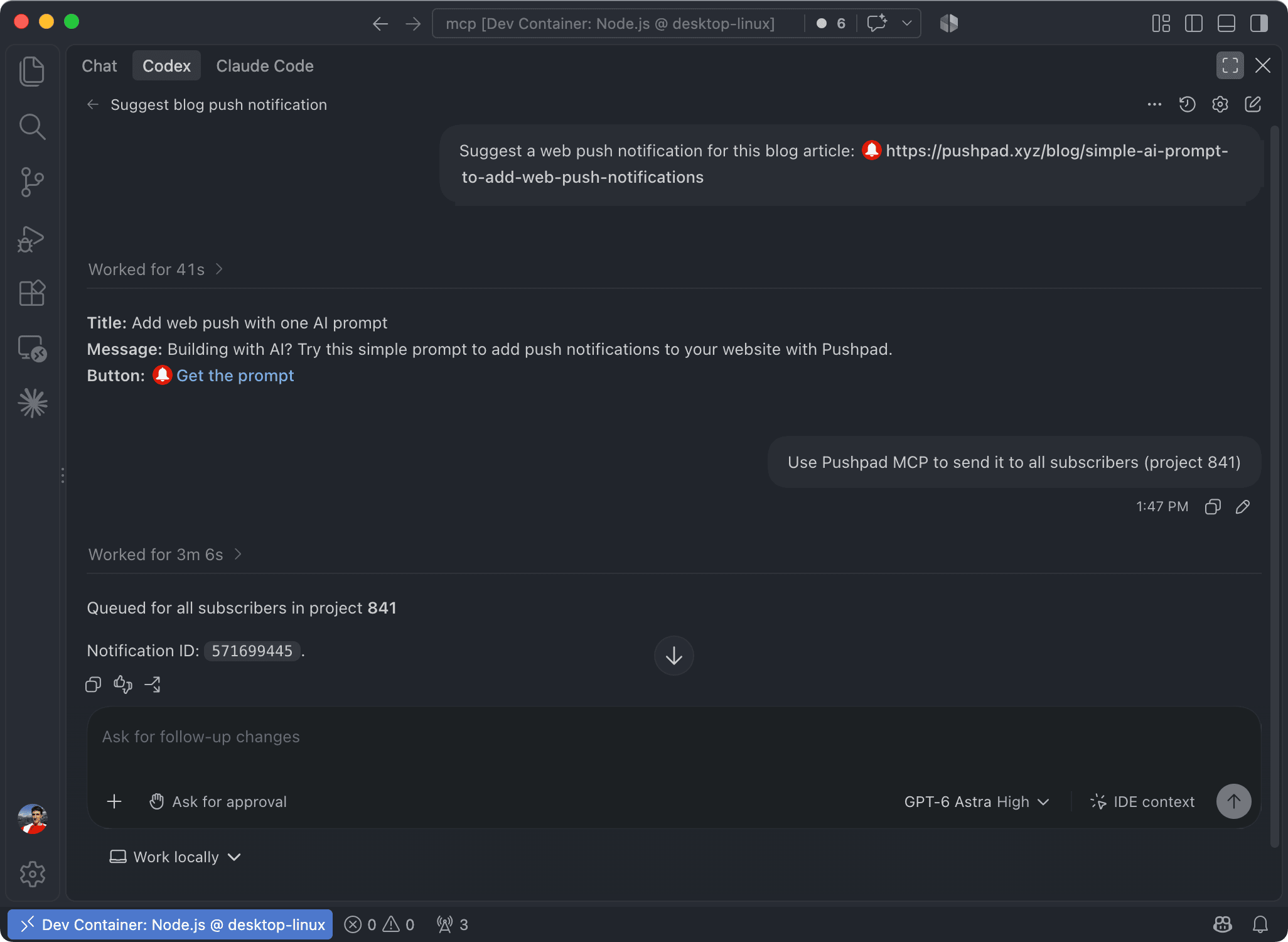
Use cases
You can use it for:
- sending web push notifications for your website or web app directly from your chat
- sending web push notifications using autonomous agents
- creating or managing resources on Pushpad during development
- interacting with the Pushpad API using the Model Context Protocol (MCP)
Installation
The local MCP server can be launched with this command:
PUSHPAD_TOKEN=token npx -y pushpad-mcp
The process communicates with your agent over stdio, so you should usually configure your agent to launch the MCP server process when it needs it.
Check out the documentation of your agent to see how to add a local / stdio MCP server.
Here's some configuration examples.
Claude Desktop
Open the Claude Desktop app, then go to Settings -> Developer -> Edit config to locate the config file (claude_desktop_config.json). Add the following section to the config file:
{
  "mcpServers": {
    "pushpad": {
      "type": "stdio",
      "command": "npx",
      "args": ["-y", "pushpad-mcp"],
      "env": {
        "PUSHPAD_TOKEN": "token"
      }
    }
  }
}
Replace token with your token.
Claude Code
Create a .mcp.json file in your project folder with this content:
{
  "mcpServers": {
    "pushpad": {
      "type": "stdio",
      "command": "npx",
      "args": ["-y", "pushpad-mcp"],
      "env": {
        "PUSHPAD_TOKEN": "token"
      }
    }
  }
}
Replace token with your token and add the file to .gitignore. Otherwise, you can use variable substitution ("${PUSHPAD_TOKEN}") to keep your token out of the configuration file.
Codex
Create a .codex/config.toml file in your project folder with this content:
[mcp_servers.pushpad]
command = "npx"
args = ["-y", "pushpad-mcp"]

[mcp_servers.pushpad.env]
PUSHPAD_TOKEN="token"
Replace token with your token and add the file to .gitignore. Otherwise, you can use env variables from your host (env_vars = ["PUSHPAD_TOKEN"]) to keep your token out of the configuration file.
Usage
You can send web push notifications and interact with Pushpad using MCP.
For example:
Send the notification to everyone in project 123 using Pushpad MCP.
Or:
Send the notification to user XYZ in project 123 using Pushpad MCP.
You can also read the stats:
How many clicks received the notification 98765?
The MCP server supports the full Pushpad API, including the Notifications API, Subscriptions API, Projects API and Senders API.
GitHub project and documentation
You can find the repository for this MCP server and additional documentation on GitHub:
Feel free to contact our support or open an issue on GitHub if you have any feedback about this MCP server or other AI integrations.